




COMPLETE SAFETY INFORMATION
Read the full operating guidance.
HoloGlass is an aftermarket display for your car: a screen made for one window, lit from inside the car by the HoloGlass unit. This is how we ask you to use it. It’s general guidance, not legal advice.
1. Parked and Driving
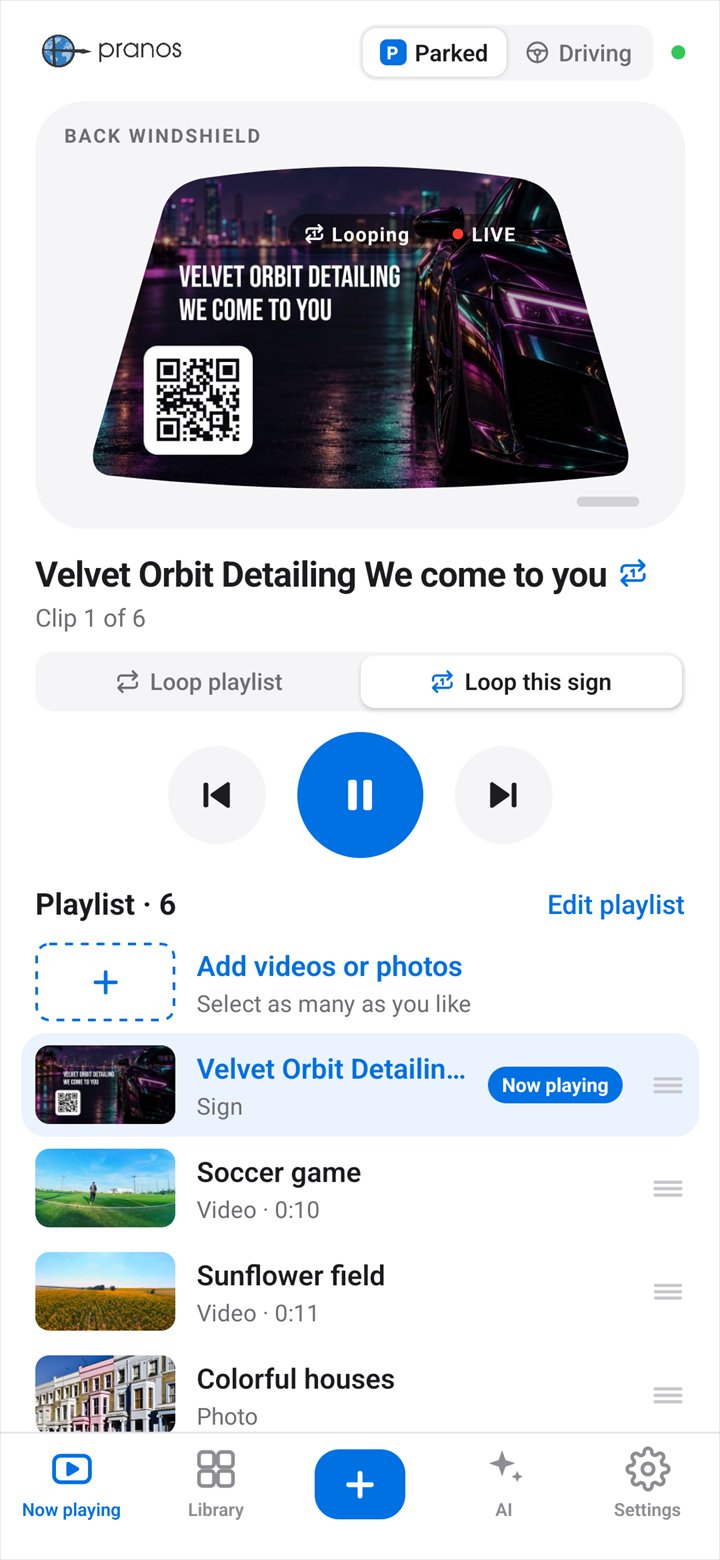
Play video only while parked. Stopped in traffic isn’t parked. Before you drive, switch the Pranos app to Driving, with your phone connected to your HoloGlass. A playing video pauses on the frame it’s on, and a photo or sign stays up. You set the switch yourself, on each phone you use. Driving covers what the Pranos app plays. It doesn’t control HDMI mirroring or the HoloGlass unit’s other inputs. And it doesn’t make a display allowed where local rules say otherwise.
2. Visibility
Many cars keep the views a driver needs through side mirrors or a rear camera, but window and visibility rules differ. Take the screen out whenever the rules call for a clear window.
3. Your content
Use only photos, logos and videos you have the right to show. Using HoloGlass for a business? Local sign and advertising rules may apply too. To learn more, read the U.S. Copyright Office’s copyright basics and the U.S. Patent and Trademark Office’s trademark basics.
What you show is public. People of every age can see your window, and hear it if you play sound. Free speech has limits: obscene or sexually explicit material and threats aren’t protected as free speech. Other laws still apply too, on harassment, public indecency, disorderly conduct, noise, what children can be shown, and anything that could be mistaken for a police or emergency signal. Keep what you show suitable for all ages, keep any sound low, and never show anything that targets or frightens a person.
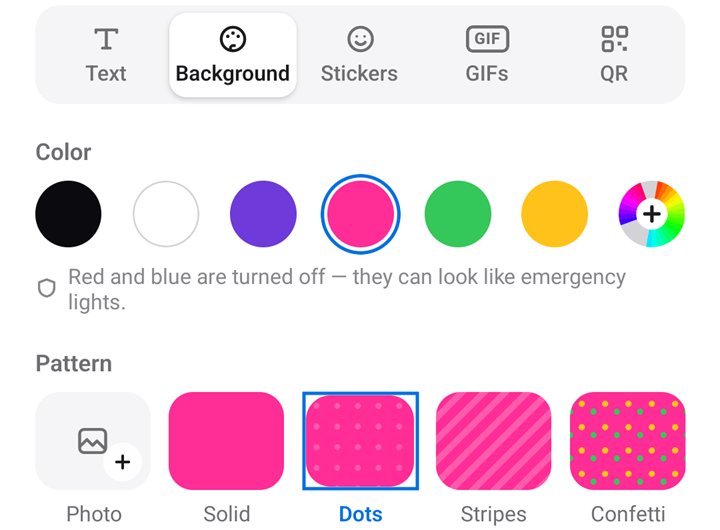
Pranos AI may turn down some of this when it designs or edits a sign for you, and the sign maker’s colors leave out bright red and blue. Beyond that, you’re responsible for everything your HoloGlass shows, including your own photos and videos and anything you screen mirror. To learn more, read the U.S. Courts’ What Does Free Speech Mean?.
4. Local rules
Rules can differ by state, county and city, and they change. Your state’s motor vehicle agency or your city can tell you what applies to you.
Where to read more:
- Your state’s motor vehicle agency (USA.gov lists every state).
- Distracted-driving laws by state, from the Governors Highway Safety Association.
- Distracted driving, from the National Highway Traffic Safety Administration (NHTSA).
These are outside sources, so you can read more for yourself. They don’t review or endorse HoloGlass.
5. Our Terms
Every order is covered by our Terms and Conditions. Please read them before you use HoloGlass.
6. Our part, and yours
We build our tools with care, but they don’t replace your judgment or local rules. Pranos isn’t responsible for improper installation, misuse or unlawful use.
7. Questions
Not sure about something? Email support@pranos.ai. We can explain how HoloGlass works and how to install it. Your local authorities decide what’s allowed where you are.
Last updated: October 2026