Pranos AI

Say it. See it.

Pranos AI turns your car window into a smart digital window. Describe a sign out loud or type it. It usually designs it in about 12 to 30 seconds, depending on the level and your connection, and changes it each time you ask.

Example conversation
Pranos AI
Auto-play on HoloGlass

About 17 s · painted picture (the default)

TypedHappy 30th birthday Jess! let’s party
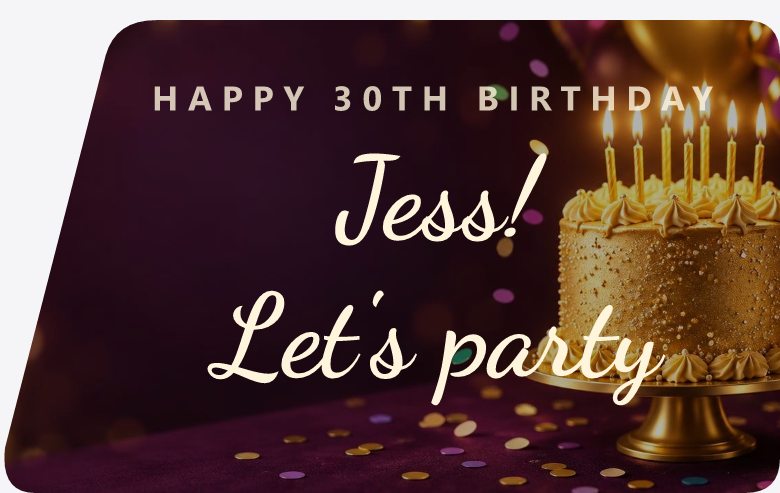
The sign Pranos AI designed: HAPPY 30TH BIRTHDAY, Jess, let’s party, in script over a gold cake

Here’s Jess’s 30th birthday sign.

By voiceAdd my Instagram as a QR code.
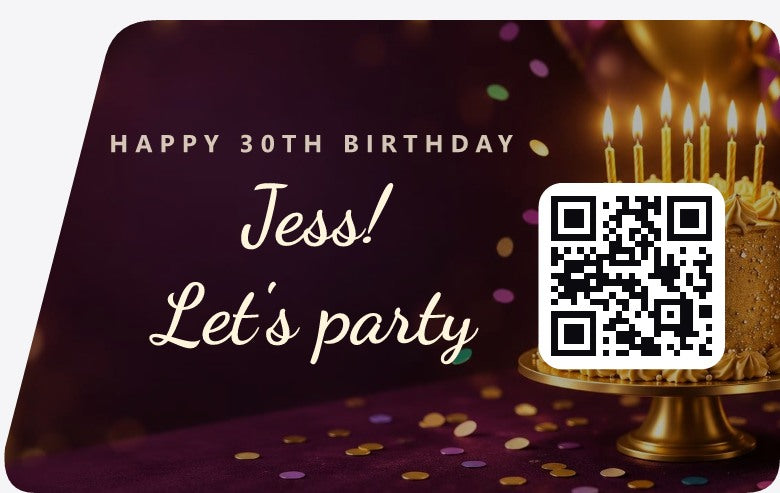
Example sign: the same birthday sign, with the words moved left and a QR code on the right

Done. The code links to the Instagram in My details.

The birthday request and the first design are real Pranos AI output, shown with our preview fonts. The QR edit was made for this page, and its code opens pranos.ai.
The Pranos app’s Create menu: Make it with AI. Describe it, and AI designs it.
In the Pranos app, tap +, then Make it with AI.

Voice or text

Ask for it. Then change it.

Talk or type, the way you’d text a friend.

  1. You say“Good morning, Los Angeles. Golden sunrise colors.”

    Ask for a new sign.

    One sentence is enough to start.

  2. You type“Add my Instagram and a QR code to my website.”

    Change it by voice or text.

    Ask for bigger letters, a new day or your QR code. It changes the sign you have.

  3. The Pranos app’s switch, set to Parked

    Play it on your window.

    Tap Play on HoloGlass. Or turn on Auto-play, and each new sign plays as soon as it’s ready, while the app is set to Parked. In Driving, the sign waits on its card: switch back to Parked, then tap Play on HoloGlass.

Try saying

  • “Open house this Sunday, 1–4 pm”
  • “Taco Night this Friday at 7”
  • “Happy birthday Mia, we love you”
  • “Make the letters bigger”
  • “Try a calmer background”
  • “Change Friday to Saturday”
  • “Move the QR code to the bottom right”
  • “Add my website QR code”

The power of Pranos AI

More than words on a window.

Pranos AI handles the design. You only say what the sign is for.

Designs the whole sign.

Your words, the fonts, the colors and the layout, from one sentence.

Paints the picture.

A sunrise, a birthday cake, a dance floor. Pranos AI can paint it behind your words.

Lays out around your photo.

Attach a photo in the chat, and Pranos AI lays the sign out around it. Your photo stays on your phone. Use only photos you took or have permission to use.

Adds your QR code.

Ask for a QR code, and it uses the Instagram or website you saved in My details.

Changes it on request.

Ask in your own words, and it updates the sign.

Knows the moment.

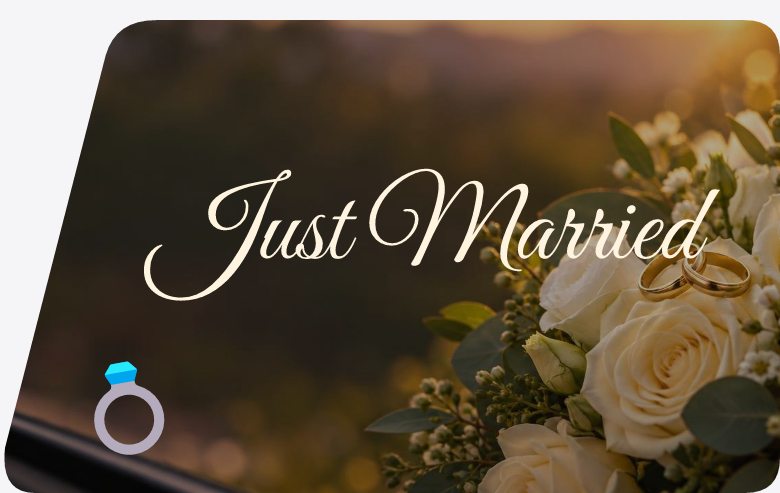
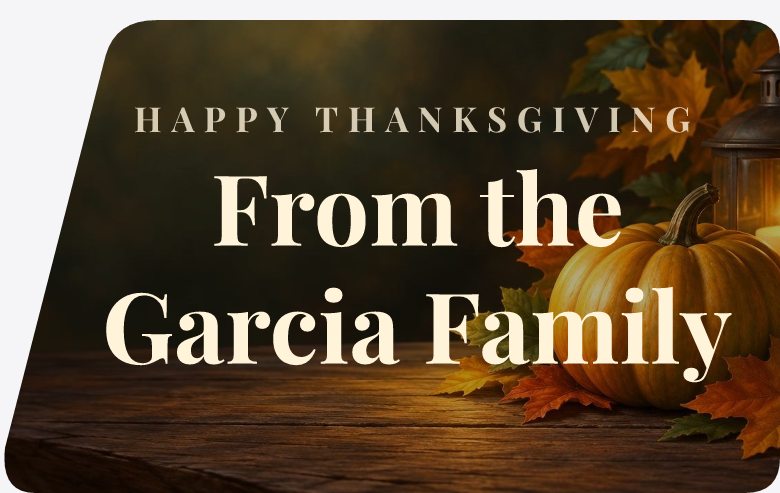
The style follows the occasion: roses for a wedding, an autumn table for Thanksgiving.

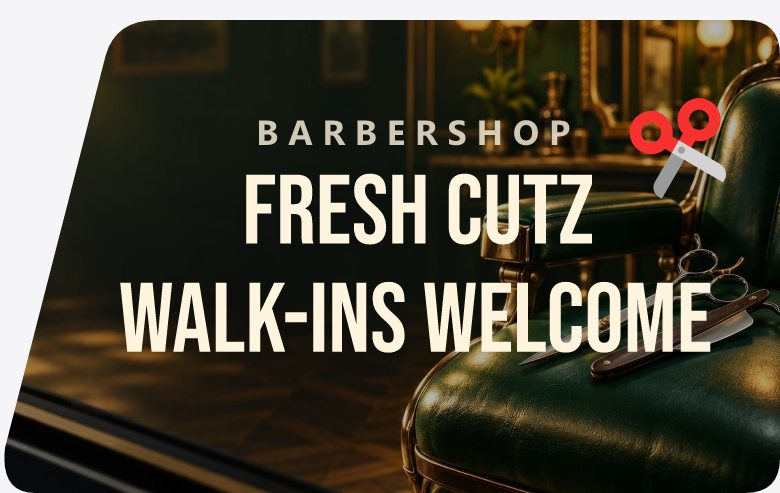
One sentence. A finished sign.

Each design came from the request under it, with the picture painted by Pranos AI. Shown here with our preview fonts; in the app the lettering can look a little different. Names are made up.
Give people somewhere to go.

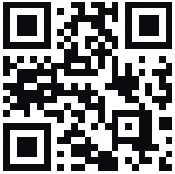
Add a call to action and your QR code. People scan it and land on your page.

A rainy city street at night, lit by neon signs, painted by Pranos AI

Follow me@yourhandle on Instagram

QR code
Example sign Background painted by Pranos AI.
A smiling golden puppy in a sunny garden, painted by Pranos AI

SubscribeNew videos every Friday

QR code
Example sign Background painted by Pranos AI.
A soft watercolor frame of spring flowers, painted by Pranos AI

Book hereOpen house Sunday, 1–4

QR code
Example sign Background painted by Pranos AI.
A sunset over palm trees and a city skyline, painted by Pranos AI

Buy hereTaco Night menu

QR code
Example sign Background painted by Pranos AI.

How Pranos AI adds your QR code ›

Quality

Speed or detail. You choose.

Pick Express, Classic or Premium at the top of the Pranos AI chat.

Auto-play on HoloGlass. It’s off until you turn it on. Then each new sign plays on your window as soon as it’s ready, while the app is set to Parked. In Driving, the sign waits on its card: switch back to Parked, then tap Play on HoloGlass.

All three levels are included with every kit.

Example screen
Pranos AI
Auto-play on HoloGlass

About 17 s · painted picture (the default)

My details

It knows your details.

Save your Instagram, TikTok, website, business name and phone once. Pranos AI adds them only when you ask.

  1. Fill in My details. Add what you want and leave the rest empty. The app keeps them for next time.
  2. Ask for your QR code. Say “add my Instagram and a QR code,” and it’s on the sign, pointing to the Instagram you saved.
  3. Move it by asking. Say “move the QR code to the bottom right,” and it moves.
  4. Or make it by hand. In the sign builder, tap QR and type any link. The code is made on your phone, no internet needed.

Pranos AI makes QR codes only for links you give it, typed in the chat or saved in My details. It leaves out links to adult sites and short links like bit.ly.

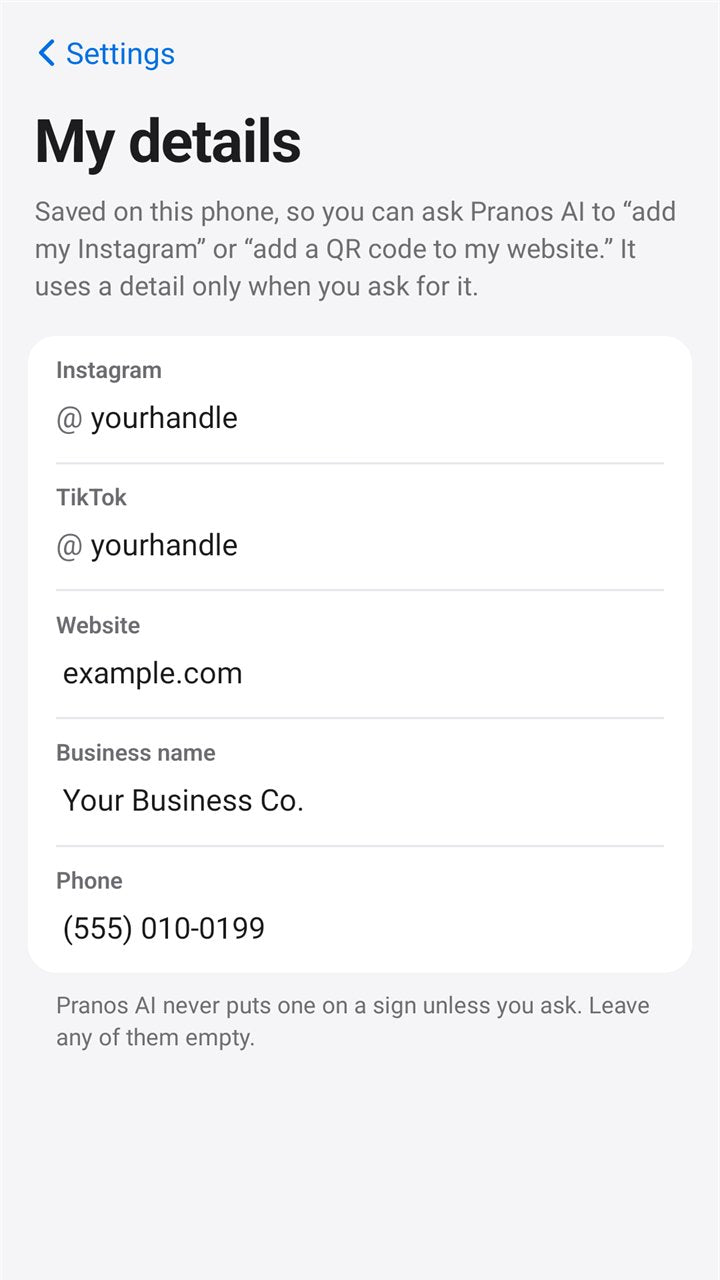
The My details row in the Pranos app’s Settings: your Instagram, website and more, for Pranos AI to add when you ask
Find My details in Settings, under Pranos AI.

How QR signs work ›

The My details screen in the Pranos app, filled in with example details: Instagram @yourhandle, TikTok @yourhandle, website example.com, business name Your Business Co. and a phone number. It says the details are saved on this phone and used only when you ask.
My details, with example details filled in.

Built-in limits

Careful by design.

  • Designed to keep a memorial sign calm.
  • Pranos AI declines police look-alikes.It’s designed to keep police, emergency and traffic-control wording, like “Police,” “Pull over,” “911” or a “Stop” command, off your sign, and it leaves out emergency emoji.
  • Our tools and Pranos AI don’t create flashing effects.Every GIF is checked on your phone before it can go on a sign. Videos you send aren’t checked, so pick ones that don’t flash.
  • Bright red and blue are left out of the sign builder and Pranos AI.They can look like emergency lights. Your own photos, videos and GIFs aren’t changed, so choose them with care.
  • Pranos AI is designed to decline explicit or hateful requests.It’s designed not to paint real people or famous characters and logos, or to make a sign that claims to be official or sponsored by a brand.

Our safety approach ›

You type“POLICE PULL OVER”

Pranos AII can’t put police, emergency or traffic-control wording on a sign, like “Police”, “Stop” or “Pull over”. Want to try a different message?

A real request, and Pranos AI’s reply, word for word.

Signal

Needs a signal to design. Not to play.

Pranos AI works in the cloud and uses your phone’s own signal. Your HoloGlass keeps playing without one.

Good to know: when Pranos AI needs a connection, the app uses your phone’s mobile data, and your HoloGlass keeps playing. Without mobile data, the app steps off your HoloGlass Wi-Fi while Pranos AI works, then asks you to tap Join to reconnect. On iPhone, allow Cellular Data for the Pranos app. No signal? Use the sign builder. It works without internet.

Good to know

Questions, answered.

Is there a monthly fee?
No. Pranos AI and all three levels come with every kit, with no subscription. Pranos AI includes a free monthly allowance. If you use it up, you can keep making signs yourself in the sign builder until it resets.
Will it make any sign I ask for?
No. Pranos AI is designed to decline explicit or hateful requests, police and emergency look-alikes, and signs that claim to be official or sponsored by a brand. It paints original pictures, not real people or famous characters.
Can it use my logo?
Yes, your own. Attach it as a photo in the chat. Use only logos you have the right to use.
Which window does it design for?
Pranos AI lays signs out for the rear side window. On a windshield, check that a QR code in a corner stays on the glass, or ask it to move the code.
Do I need internet?
To design with Pranos AI, yes. The app uses your phone’s mobile data when it needs it. To send and play photos and videos stored on your phone, no (ones kept only in iCloud need internet to download first), and the sign builder works without internet too.
What happens to my requests?
They’re used to make your sign. Photos you attach stay on your phone, and your chat is kept on your phone until you start a new one. Our privacy policy explains who handles your requests.
Can I turn it off?
Yes. Turn Pranos AI on or off in Settings.

HoloGlass

Your next sign is one sentence away.

From $289. App and Pranos AI included.